.webp)
Reading time: 8m 12s
What do companies like Microsoft, Cursor, Coinbase, Shopify, Airbnb, Uber, and Siemens have in common? They’ve all moved some of their AI workloads to Chinese models.
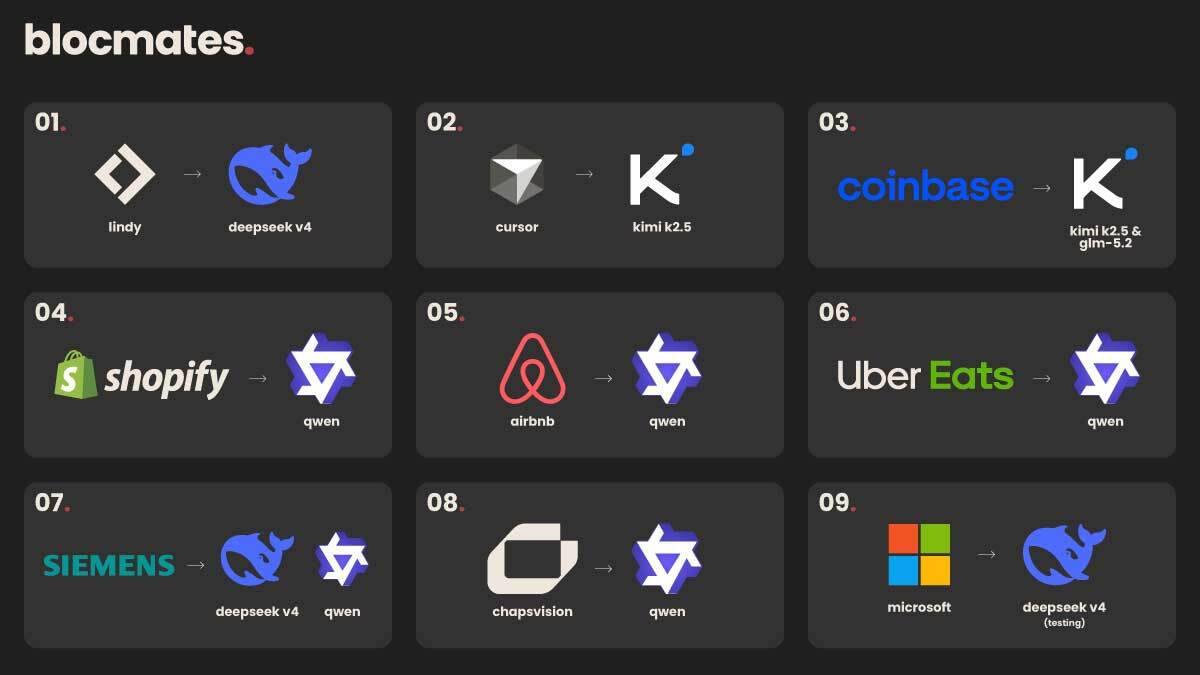
As Chinese models like Kimi K3 begin to outperform Silicon Valley counterparts at a fraction of the cost, and services such as OpenRouter provide dynamic, intelligent model routing, sticking to a single provider is no longer justified.
Nonetheless, in a desperate bid to jump on the AI bandwagon, a company's first instinct usually is to sign up for an Enterprise plan with one of the frontier labs.
And I get it, you just whip out your company’s credit card, assign the seats, and you’ve got your hands on everything you could possibly want. Or have you?
Let's be honest, AI subscriptions add up fast. One month it's ChatGPT, then Claude, then another tool everyone on TikTok swears you need.
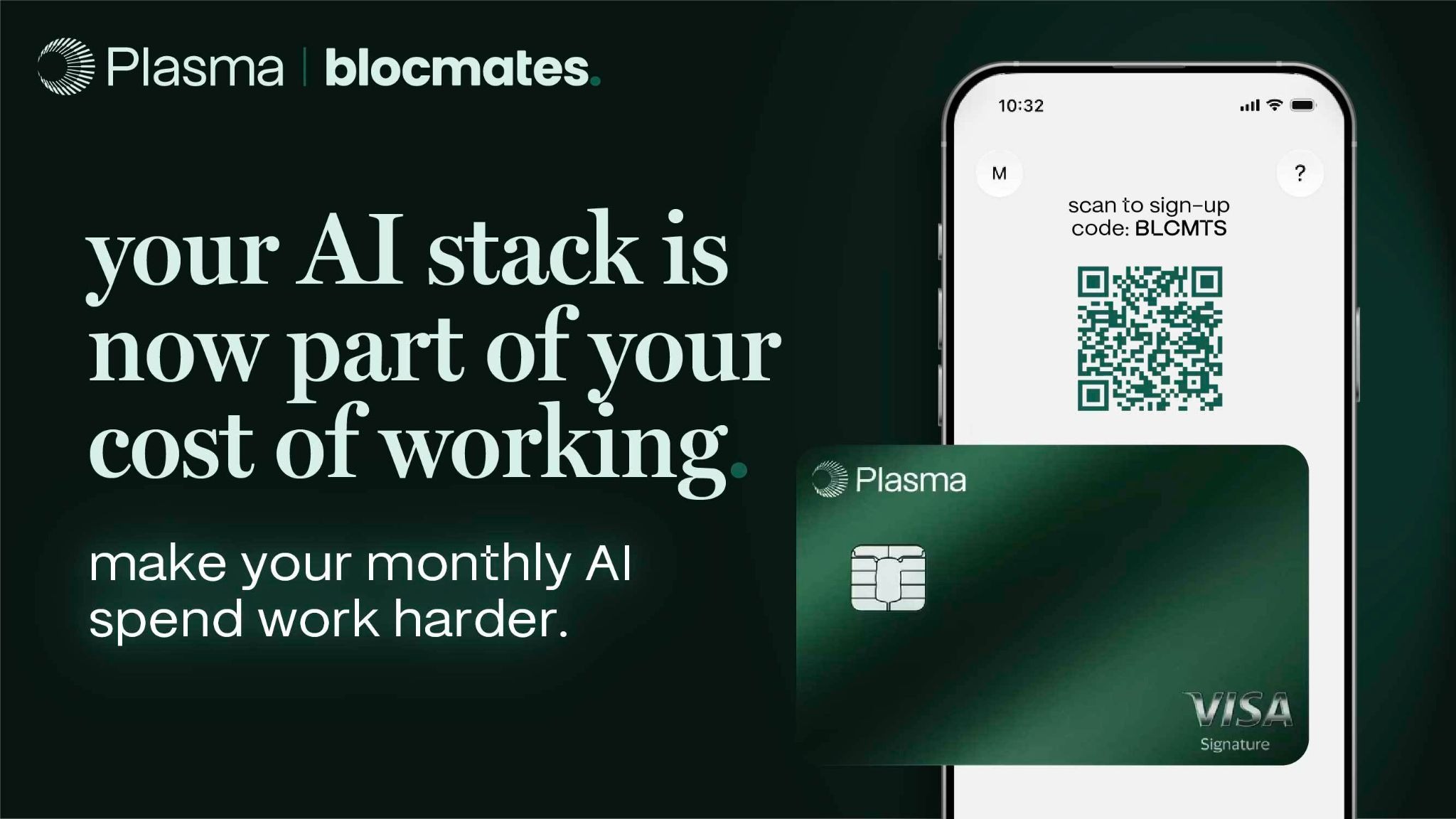
Before you know it, you're paying for half a dozen AI apps just to keep up. We're in the same boat, which is why we've been using Plasma One.
It gives us cash back on our AI subscriptions without having to think about cancelling the ones we actually use.
If you want in, sign up using the link or scan the QR code below and start getting some of that money back.
Paying for ChatGPT or Claude won't suddenly make your life cheaper. Your monthly subscriptions will still hit your bank account, but Plasma One will help route some of that money back to your pocket.
Inevitably, you end up building proprietary workflows, connecting different tools, MCPs, and plugins, and once you start doing that, the question of whether you even need that plan to begin with creeps up.
Another consideration is that relying on a single AI provider means your company is subject to that provider's pricing, policies, uptime, jurisdiction, and future plans.
A sudden cut-off for services where different skills, projects, and workflows have been built around might shake a company more than it’d like to admit.
And so I think it's time for teams to start thinking, at least on a conceptual level, about what it would take for a company to build its own AI stack.
First steps to sovereignty
Before we even begin discussing what this entails, I think it's best if we establish a dangling carrot by highlighting what awaits you on the other side of this endeavor compared to the Enterprise solutions:
- Absolute model elasticity and vendor derisking
- Improved cost-efficiency with usage-based billing
- Built-in memory and self-improving skill loops
- Full company knowledge and workflow retention
- Interface agnosticism
Before proceeding, it's equally important to acknowledge the realities of such a project:
- High day-one engineering and maintenance
- Fine-grained organizational role controls are still maturing
- Risk of agentic loops going out of hand and burning through credits
- Total liability for the security perimeter
Now, when examining what a sovereign AI stack could look like, it can be quite daunting given the sheer number of tools available. The important thing is figuring out what will hold everything together, which in AI language is called an agent harness.
Since we’re looking for an open-source one, there are only two options worth considering: OpenClaw and Hermes.
Though both names most likely ring a bell and, in some respects, they’re quite similar, there are real technical reasons why sticking with Hermes might be the better choice, as a builder pointed out in this post.
In our example, we’ll be using Hermes, best known for its bounded, curated memory that persists across sessions and its self-learning capabilities, which manifest as skills stored in Markdown format.
To make it hopefully easier to comprehend, I’ve divided our stack into four “layers.”
They have little to do with how it technically works and are just meant to show how these pieces stitch together conceptually.
I know I used the word again, but since I’m not a developer, I do hope that leaves me off the hook if I butcher a technical nuance (or most likely multiple).
Without further ado, let’s jump in.
The control and harness layer
The key point to understand, and frankly, the whole reason we’re even doing this exercise is that Hermes is not a standalone model; rather, it leverages models to perform your specified tasks, intelligently using the tools and plugins you’ve connected, and retains context more effectively than vanilla models ever could.
Think of Hermes like a general contractor running a site. It calls in the right specialist for each task, hands them the right tools, and keeps the full blueprint in mind from foundation to finish. If one of them starts acting up, Hermes swaps him for another.
For a more detailed breakdown of Hermes, check out our explainer.
Hermes can be deployed on a remote machine. In our case, we’ll deploy a Hermes instance on a VPS via a service like Hostinger. This way, the system is always up and running, and we can schedule tasks to run automatically with natural language or cron expressions.
Additionally, it can be deployed in a Hermes-owned cloud environment for convenience and managed reliability.
Though this somewhat defeats the benefits of sovereignty, it's a great choice for less technical teams looking to try out Hermes without managing the infrastructure themselves.
Since Hermes enjoys a vibrant ecosystem of builders who contribute to its capabilities through plugins, tools, and other enhancements, asking what it can do is not the right question.
A better frame of reference is to recognize which features and plugins are a priority for you, and then gradually build from there.
If there’s a use case, someone has probably built a plugin or skill for it. For some ideas, check out what people are using Hermes for here.
The gateway and intelligence layer (Nous Portal)
Now that we have it up and running on a machine in an undisclosed location, it's time to figure out how to use it.
Hermes is an ideal choice for our needs because it can tap into OpenRouter, providing access to hundreds of models via a single API key, exactly the kind of flexibility we’re looking for.
Since we’re building a solution for a team, however, we must be able to manage seats and credits.
Thankfully, this can be done via the Nous Portal, where a company sets up an organization account, deposits funds, and manages a shared credit pool.
With it, a business can consolidate all AI costs and subscriptions into a single organizational credit account, enabling collective usage monitoring and task routing based on cost, performance, or compliance.
To further increase capital efficiency, teams can open an account with a neobank, such as Plasma, allocate a portion for token spending, receive up to 10% cashback on AI spend, and earn interest on dormant funds, further boosting their bottom line.
The context and memory layer
Though Hermes comes with a Persistent Memory and self-learning loops out of the box, it's primarily made for single-person use.
For a company-wide implementation, it’ll require a bit more to handle context effectively beyond the built-in MEMORY.md and USER.md files.
Thankfully, Hermes supports a wide range of memory plugins that provide it with persistent, cross-session knowledge, turning static document uploads trapped in single chat threads into a continuously evolving, private company data footprint.
When a memory provider is active, Hermes automatically:
- Injects provider context into the system prompt (what the provider knows)
- Prefetches relevant memories before each turn (background, non-blocking)
- Syncs conversation turns to the provider after each response
- Extracts memories on session end (for providers that support it)
- Mirrors built-in memory writes to the external provider
- Adds provider-specific tools so the agent can search, store, and manage memories
Since we’ll ideally be hooking up internal data sources such as Google Workspace and collecting sensitive company information, it's critical to understand where your data will be stored.

The interface layer
Now, coming to where all of this actually matters.
Because most folks are already familiar with the desktop application workflow, on June 6, Hermes launched its own desktop app, which will, understandably, remain the preferred way to interact with AI for most.
The desktop app looks just like all other chatbot applications. And that’s perfect for us, as people will be able to adapt more quickly.
On the app, you’ll enjoy many of the same conveniences, including streaming responses to view the agent’s progress, a right-hand preview window, artifacts, drag-and-drop for files, and much more, so most of us will feel right at home if you’ve used something like the Claude Code or ChatGPT Codex desktop apps.
Most importantly, you can choose from a variety of avatars to accompany you. I’ve adopted a wizard panda as my spirit animal.

By default, the app starts and manages its own local backend on your computer, so we’ll need to point it at the company’s VPS.
Once we do that, it’ll work as an extension to the company's centralized backend, with identical configuration, API keys, sessions, skills, and memory. The same agent, just wrapped in a format that’s much more manageable for most users.
Alternatively, messaging gateways allow users to interact with Hermes via messaging apps such as Telegram, Discord, Slack, WhatsApp, and others. This makes it a powerful collaborative tool that can be integrated into any conversation.
The key benefit is that it doesn’t matter which mode you pick because Hermes retains context across platforms. For example, if I start a conversation with Hermes on Slack, a corresponding button appears in the bottom-left corner of the Desktop app that lets me continue.
All the elements we discussed are integrated into the four layers I initially outlined:

Concluding thoughts
It goes without saying that not every company needs an elaborate, self-hosted infrastructure like the one we just discussed. But those who wish to take their operations to the next level and start owning what they’ve built, it's the natural next step.
I’d also like to point out that this is by no means the only solution, and you can absolutely build something like this with OpenClaw or other harnesses, though I'm unsure why you would, given how many people are contributing to both.
Beyond the technicalities, the concept of the sovereign AI stack forces us to rethink how we look at AI. A tough pill to swallow is that enterprise AI subscriptions are not the same as enterprise AI infrastructure.
The current state for most companies is that workflows live inside closed silos. Memory, context, and subscriptions are scattered, and model access depends on the provider.
The ideal state is for the company to own the harness, enabling it to switch providers in the blink of an eye. This way, any built-up workflows, agents, and knowledge stay with the company.
Yes, building this as a company-wide implementation requires a fair amount of engineering expertise, so vibe-coding it into existence probably won’t be feasible, at least not within a reasonable time frame.
Alas, anything worth pursuing lies at the other end of discomfort, so prompt away, soldier.
Because the other option is, well, letting this guy control what you can and can't do with AI.







.webp)
.webp)

.webp)
.png)


.webp)


.webp)
.webp)
.webp)






.webp)
.webp)

.webp)


.webp)
.webp)
.webp)
.webp)








.webp)
.webp)
.webp)
.webp)
.webp)


.webp)
.webp)


.webp)


.webp)




.webp)


.webp)


.webp)

















.webp)






.webp)








.webp)

.webp)
.webp)

.webp)









.webp)

.webp)

.webp)






.webp)