How To Add Solana to Metamask
The MetaMask browser extension now supports Solana. Mobile support for Solana is currently in development.
by Krix · · 3 min read
Contents
Key takeaways
- As of June 11, 2025, the MetaMask browser extension supports Solana [SOL] natively, while mobile support for Solana is still in development.
- With Solana support, MetaMask moves away from its Ethereum Virtual Machine [EVM]-only approach and plans to expand to more non-EVM chains in the future.
- MetaMask extension users can send, receive, swap, bridge and buy Solana-based tokens and use Solana dapps within the familiar MetaMask interface.
- Users add Solana by creating a Solana account under "Add account or hardware wallet," then funding it with SOL to cover gas fees.
- Phantom, Solflare and Ledger hardware wallets are popular Solana alternatives, and Ledger integrates with Phantom and Solflare for managing holdings from cold storage.
Ape-tizers:
- The MetaMask browser extension now supports Solana (opens in a new tab).
- Mobile support for Solana is currently in development.
- MetaMask intends to expand to additional non-EVM chains in the future.
Generally, wallets fall into three primary categories: EVM, non-EVM, and Bitcoin wallets. As a result, users often need to switch between various wallets to access different blockchain networks.
However, as infrastructure advances and wallet providers strive to attract more users, many wallets have expanded their services by incorporating additional chains.
With the recent inclusion of Solana, MetaMask has moved away from its EVM-exclusive approach.
Can I Add Solana to MetaMask?
Yes, you can now use Solana directly within MetaMask's latest browser extension. While MetaMask (opens in a new tab) originally focused on EVM-based blockchains, it has expanded to support Solana natively, eliminating the previous hassle of managing separate wallets.
The updated MetaMask Extension enables users to seamlessly send, receive, swap, bridge, and buy Solana-based tokens. Additionally, you can interact with decentralized applications (dapps) built on Solana, all within the familiar MetaMask interface.
How to add Solana to the MetaMask browser extension
Follow the steps below to add the Solana network to your MetaMask browser extension:
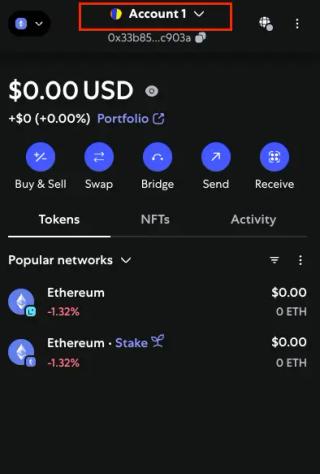
1. Open your browser extension and click on the “Account” bar at the very top of the wallet interface.
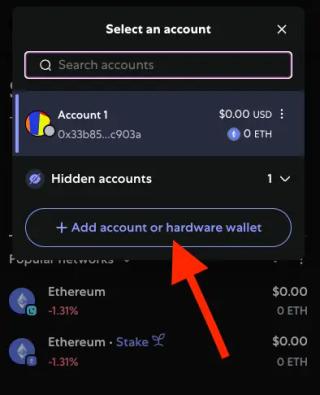
2. Press the “Add account or hardware wallet’’ button.
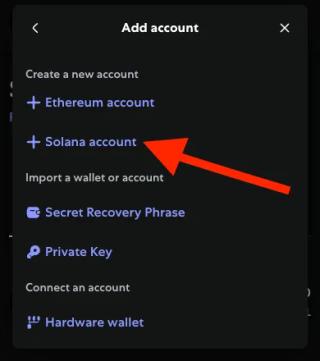
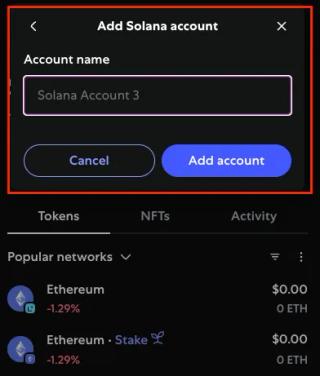
3. Locate the “Solana account” button and press it. You’ll be prompted to create a name for the account. After you’ve done that, press “Add account.”
4. To cover gas fees, transfer SOL to your account by copying your new wallet address and sending funds from a centralized exchange or another non-custodial Solana wallet like Phantom or Solflare.
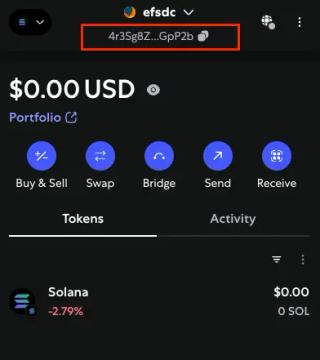
That’s it! You can now use any Solana-based application that supports MetaMask without worrying about switching between multiple wallets.
Best wallet alternatives for Solana
If you're looking for wallets designed explicitly for Solana, rather than using MetaMask, here are some of the most popular tried-and-tested options.
Phantom
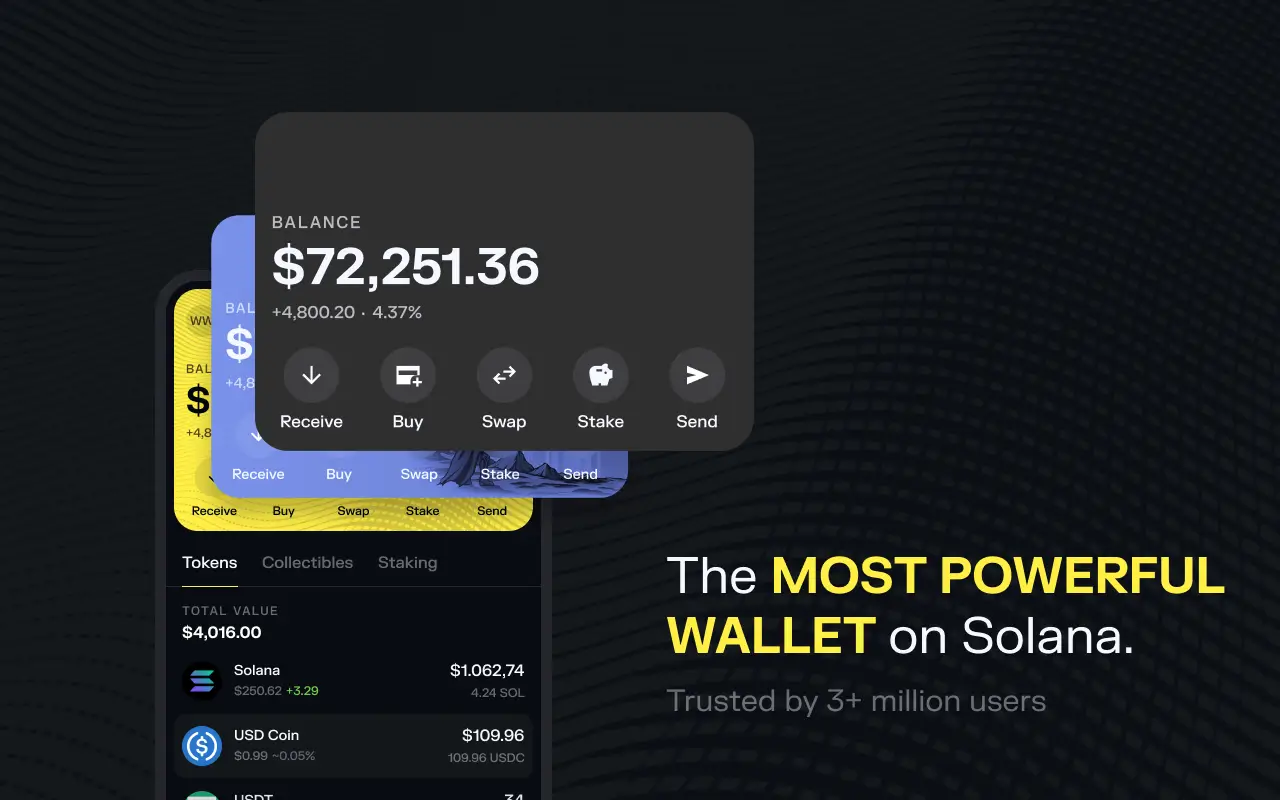
Phantom (opens in a new tab) is the leading wallet in the Solana ecosystem, known for its sleek and intuitive interface, making it the preferred choice among everyday users.
Additionally, it has expanded to support major networks such as Bitcoin, Ethereum, and Base, thereby catering to a broader audience.
Phantom offers a wide range of features directly within the app, including staking, interacting with dapps, and buying and selling tokens, making it an excellent wallet for beginners.
Solflare
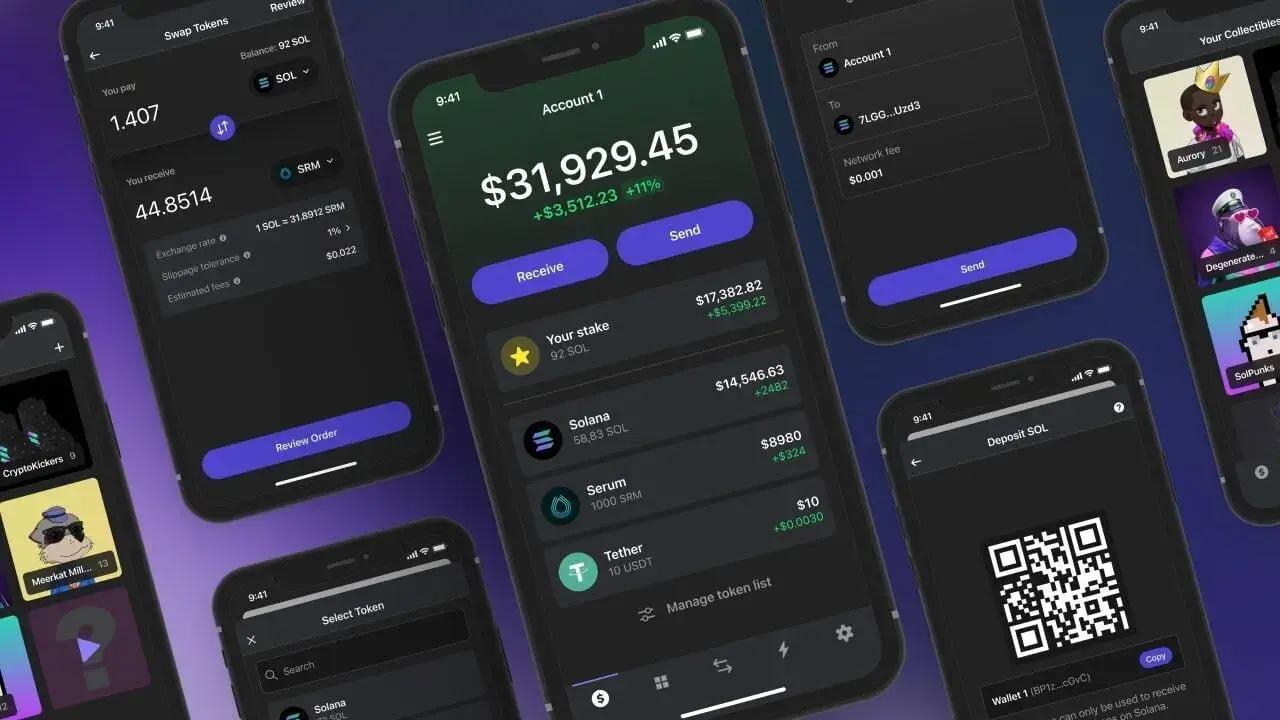
Solflare (opens in a new tab) provides a secure and comprehensive wallet experience tailored to the Solana ecosystem. It supports SOL tokens, NFTs, staking, and dApps across desktop and mobile devices, combining functionality and robust security.
For Solana users, Solflare offers the same features as Phantom, but with a distinct style, making it a strong alternative for those seeking a unique experience.
Ledger
Ledger (opens in a new tab) hardware wallets provide the highest standard of security for storing SOL and other crypto assets. Ledger integrates effortlessly with Phantom and Solflare, allowing users to securely manage and interact with their Solana holdings directly from cold storage.
What is Solana?
Solana (opens in a new tab) is a high-performance, layer-1 blockchain platform designed to enable fast, secure, and scalable decentralized applications (dApps), decentralized finance (DeFi), and NFTs by processing up to 65,000 transactions per second with minimal fees.
It achieves this exceptional throughput through its unique Proof of History (PoH) consensus mechanism, combined with Delegated Proof of Stake (DPoS), which timestamps transactions before confirmation, allowing for parallel transaction processing and minimal latency.
Final thoughts
Given that non-custodial wallets are crucial to the blockchain ecosystem, you and I both know how frustrating it is to switch between multiple wallets across different networks.
The recent addition of Solana to the MetaMask browser extensions is a significant update for the most popular crypto wallet, which has historically supported only EVM-based chains. By catering to the leading consumer blockchain, Solana, MetaMask is strengthening its position to sustain market dominance.
FAQ
Can I use Solana in MetaMask?
Yes, as of June 11, 2025, the MetaMask browser extension supports Solana [SOL] natively. MetaMask mobile support for Solana was still in development at that time, so Solana access in MetaMask is limited to the browser extension.
How do I add a Solana account to MetaMask?
Open the MetaMask browser extension, click the "Account" bar at the top, press "Add account or hardware wallet," then choose "Solana account," name it and press "Add account." To cover gas fees, send Solana [SOL] to the new address from a centralized exchange or another non-custodial Solana wallet like Phantom or Solflare.
What can you do with Solana in MetaMask?
The MetaMask browser extension lets users send, receive, swap, bridge and buy Solana-based tokens. MetaMask users can also interact with decentralized applications [dapps] built on Solana, without switching to a separate Solana wallet.
What are the best Solana wallets besides MetaMask?
Phantom, Solflare and Ledger are popular, tried-and-tested options for Solana users. Phantom is described as the leading Solana wallet with an intuitive interface, Solflare offers similar features with a distinct style, and Ledger hardware wallets provide cold storage that integrates with both Phantom and Solflare.
What is Solana?
Solana [SOL] is a high-performance layer-1 blockchain built for fast, scalable dapps, DeFi and NFTs, processing up to 65,000 transactions per second with minimal fees. Solana combines Proof of History [PoH], which timestamps transactions before confirmation, with Delegated Proof of Stake [DPoS] to enable parallel processing and low latency.
Not financial advice.

Your weekly read on all things frontier tech.
Join 17,000+ readers who like to stay one step ahead with us.